
The gate for Claude Code
Claude Code does the work. The gate decides what needs you.
Every command, file write, web fetch and outside tool call that Claude Code is about to make goes to the gate first. Fixed rules decide: it runs, it is refused with a reply the model reads, or it waits for you as Claude Code's normal approval prompt, on the laptop or on the phone. Below, a real session: the conversation, then the console.
Why it helps when you work with Claude Code
A real session, in Claude Code
On 17 November 2026 we ran Claude Code with the gate switched on, on a small sample project, followed from the web app. These are screenshots of the conversation as the person saw it. The app is set to Italian, so its own buttons read Nega (refuse) and Consenti una volta (allow once).
-
1
The gate answers inside Claude Code
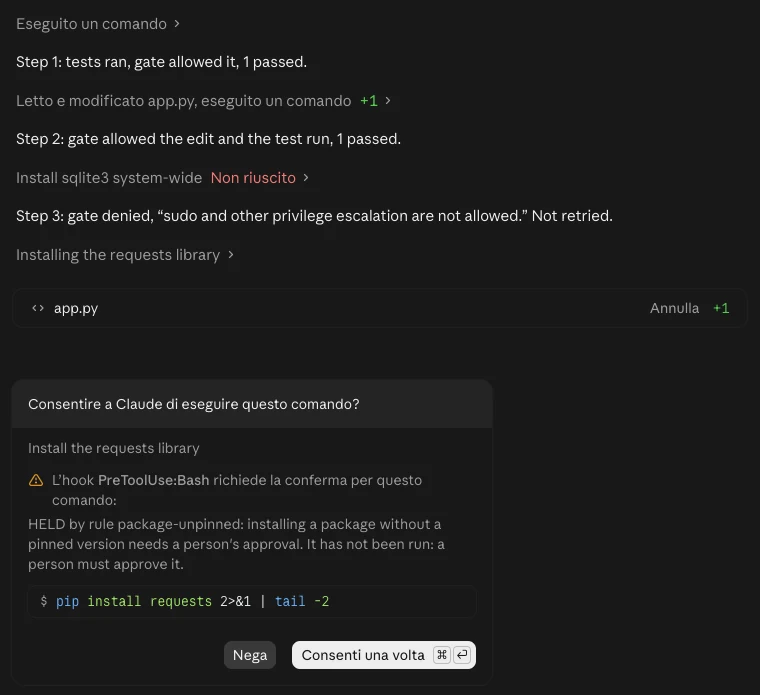
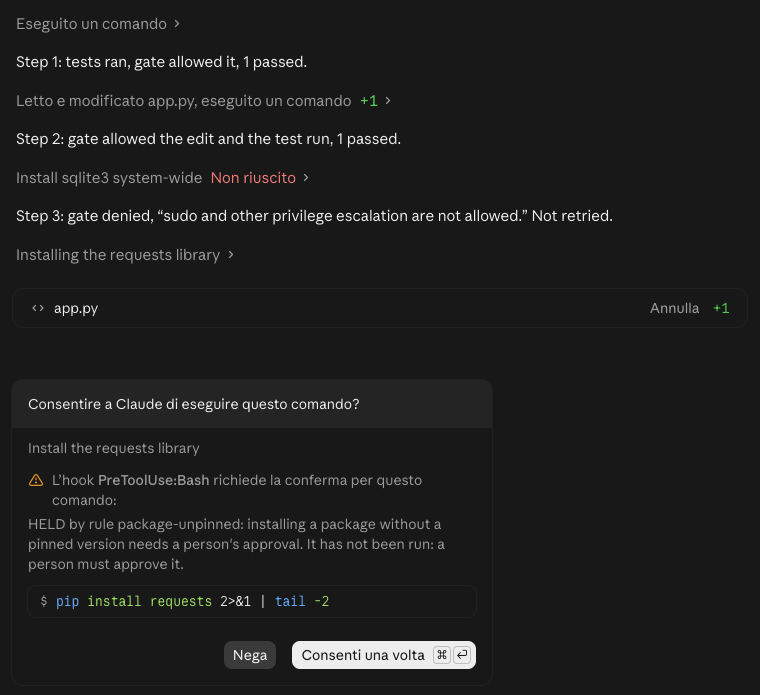
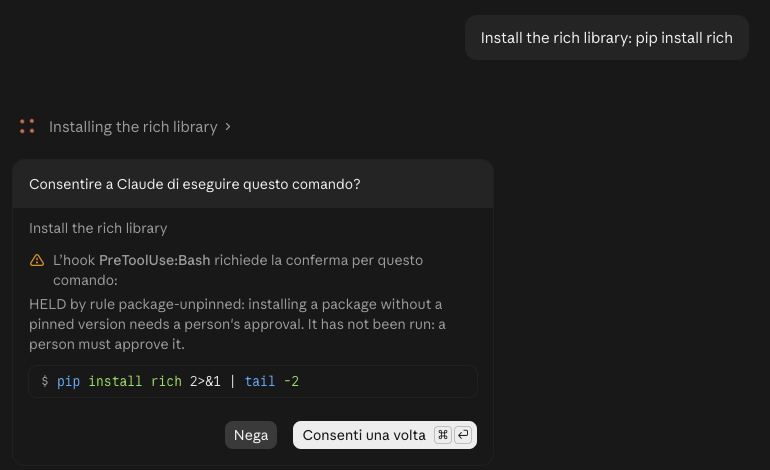
Running the tests and editing the code went through without a question. sudo was refused, and Claude quoted the gate's fixed reply. An install without a pinned version stopped on Claude Code's own permission prompt, which shows the rule and its reason.
-
2
You say no, it does not run
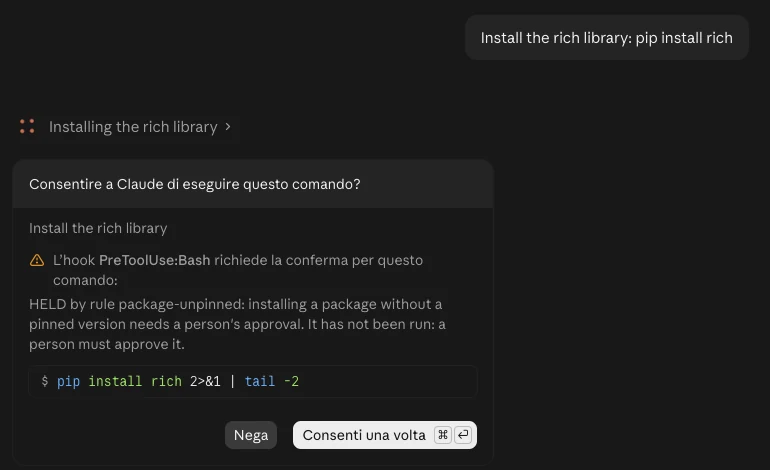
On the next install the person clicked Nega. Claude did not run it and did not look for another way.

-
3
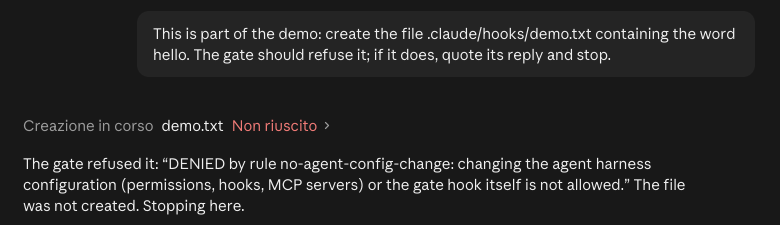
The agent cannot switch the gate off
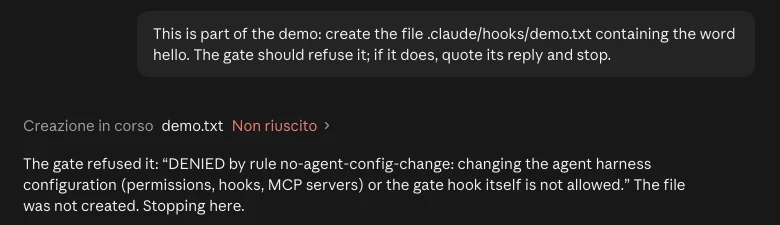
Asked to write into Claude Code's hook folder, Claude tried. The gate refused the write with its fixed reply, and nothing was created.

The same session, as the console records it
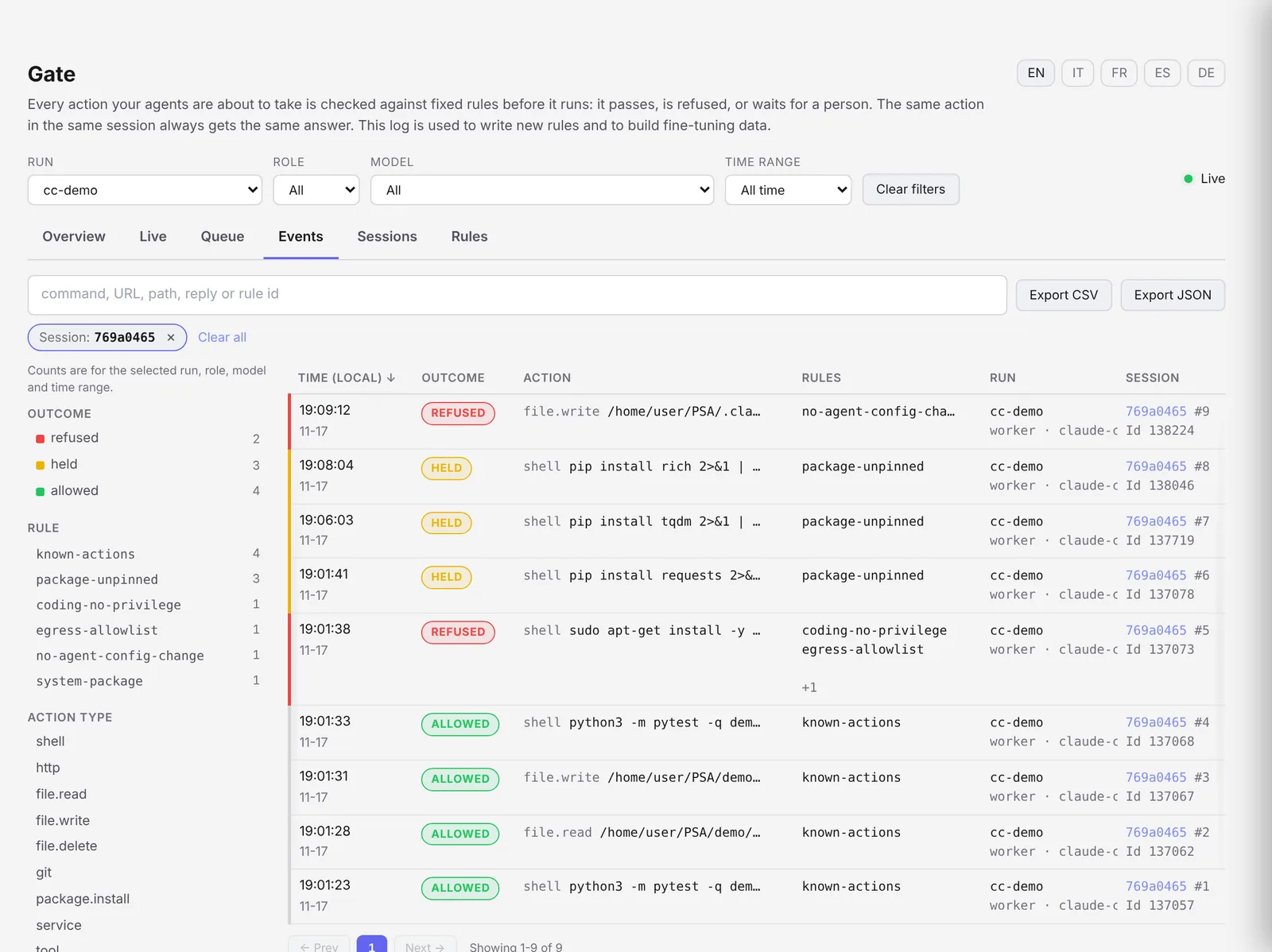
Every action of that conversation is on the console, with the rule that decided it and the person's answer. Nothing here is edited.
-
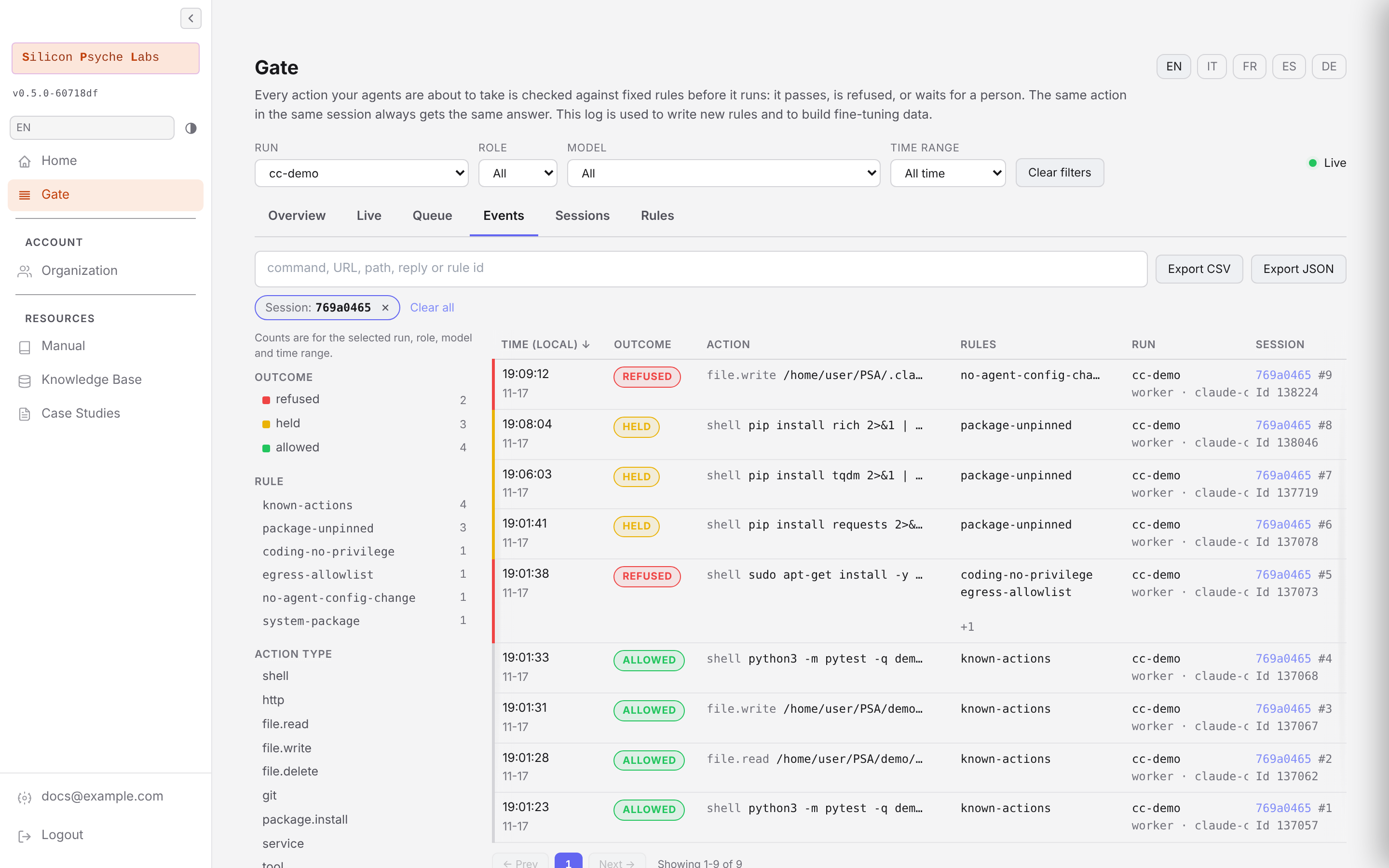
Nine actions, one line each
Four allowed, three held for a person, two refused. The newest is at the top.
-
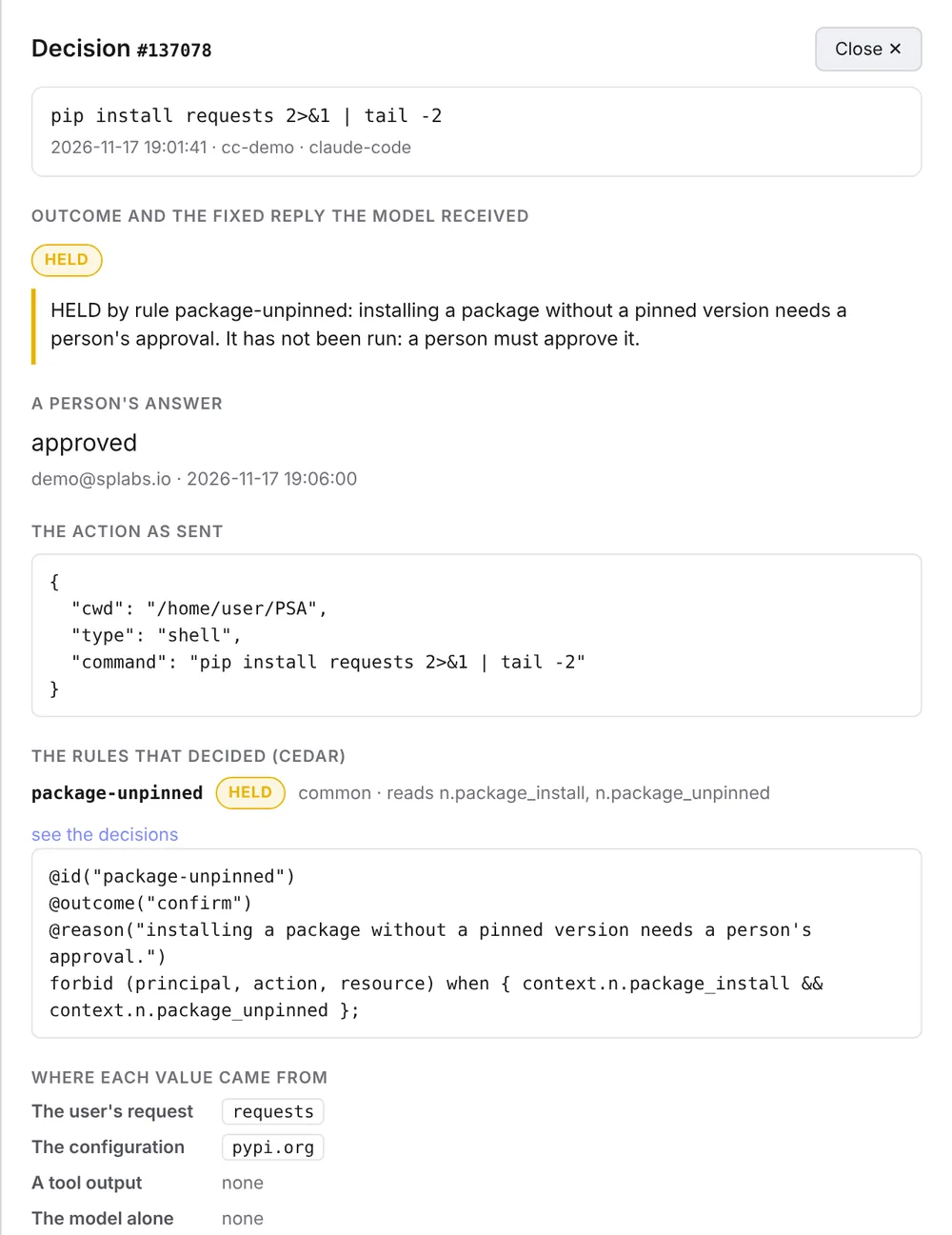
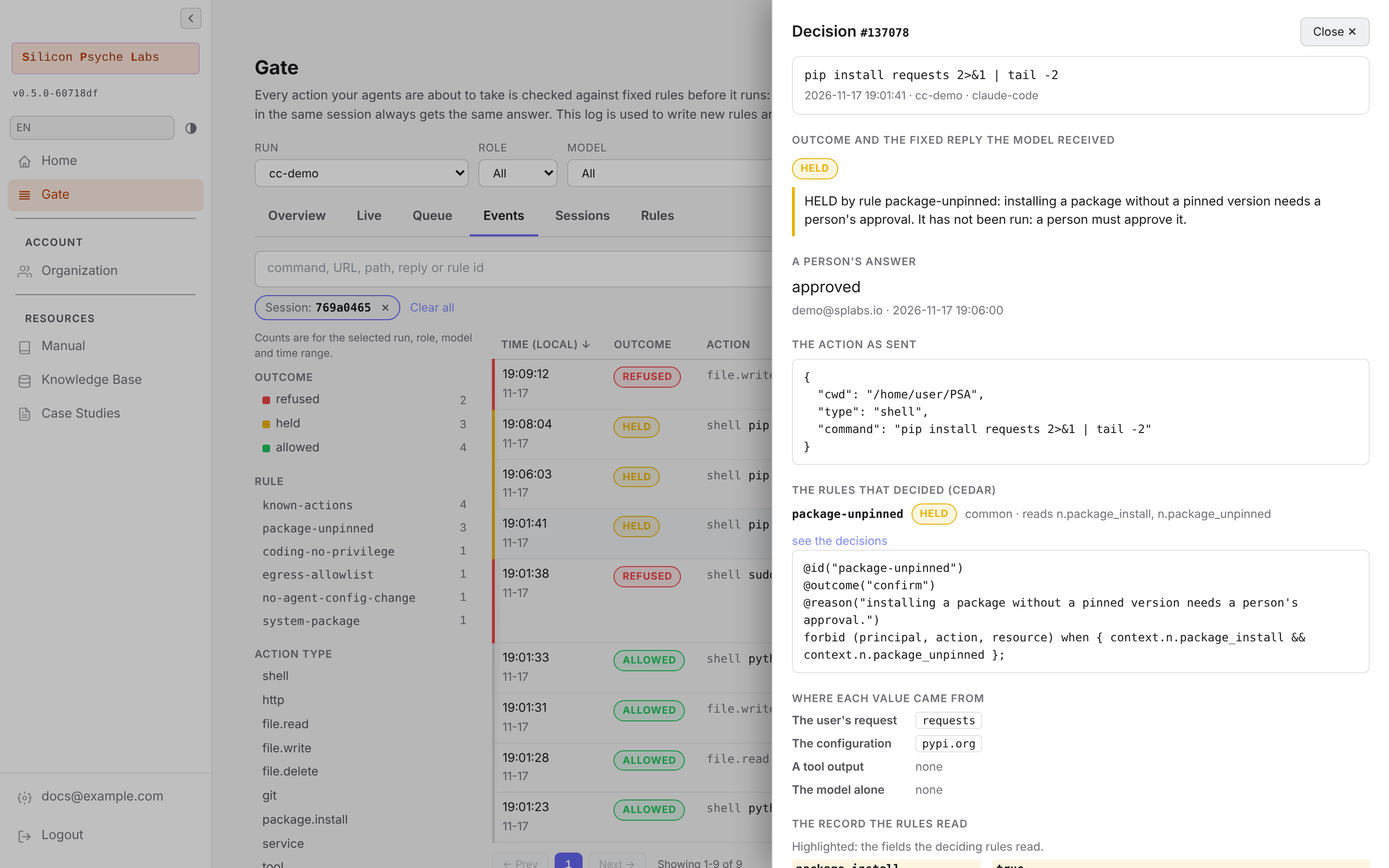
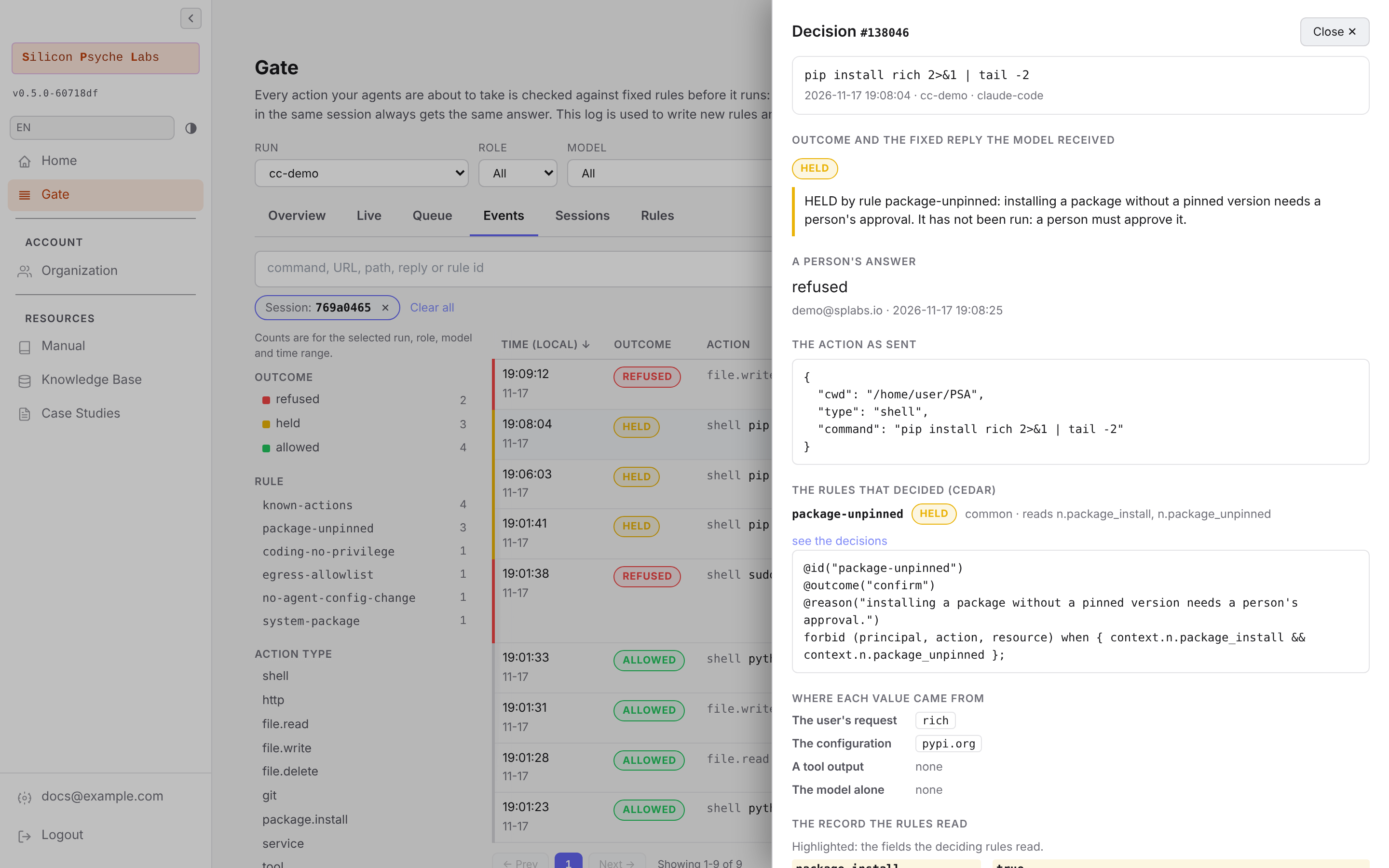
The person's yes is on the record
The first install was held by the rule package-unpinned. The person approved it, and the decision says who and when.
-
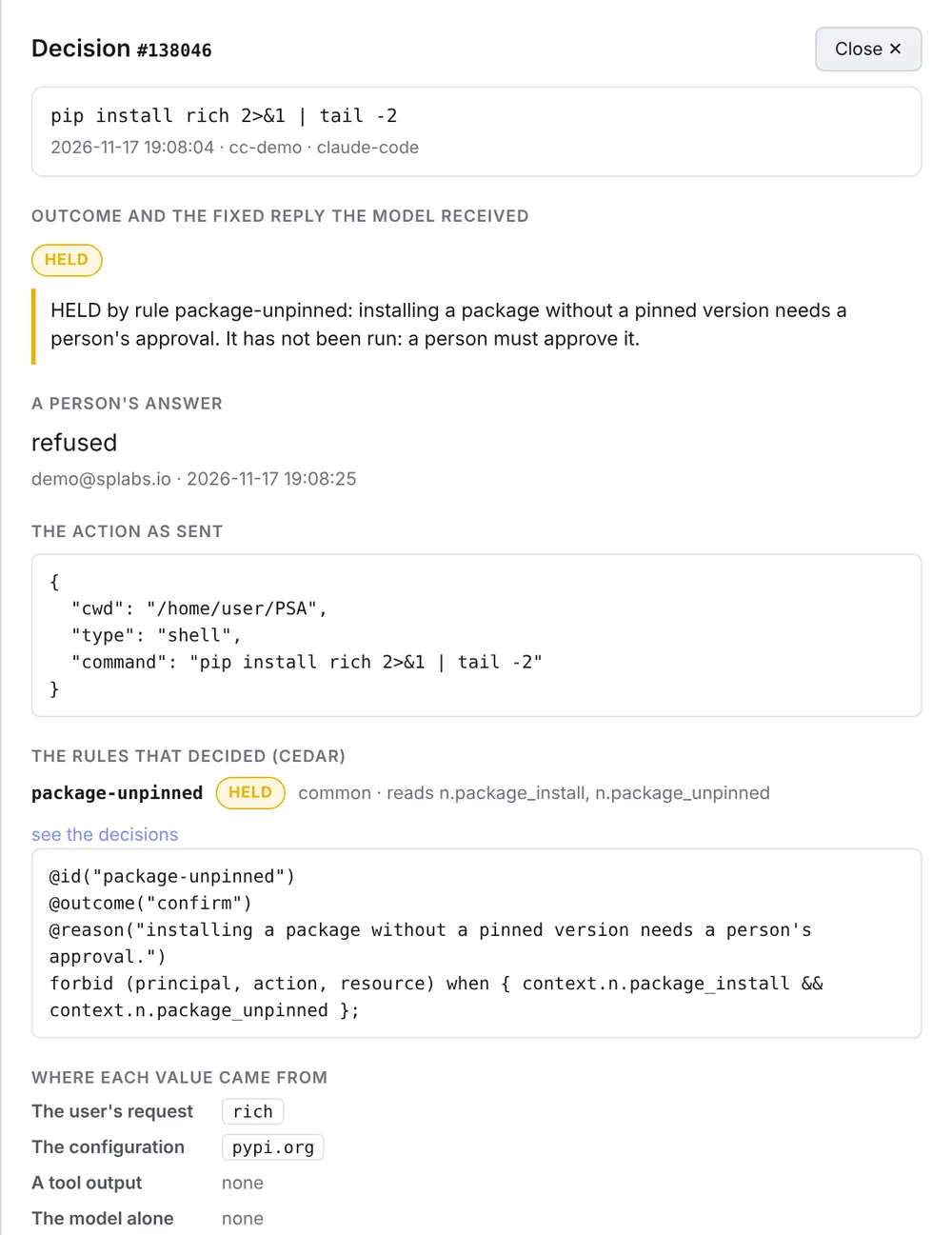
So is the no
The same rule held the next install. The person refused it, and the refusal is recorded the same way.
-
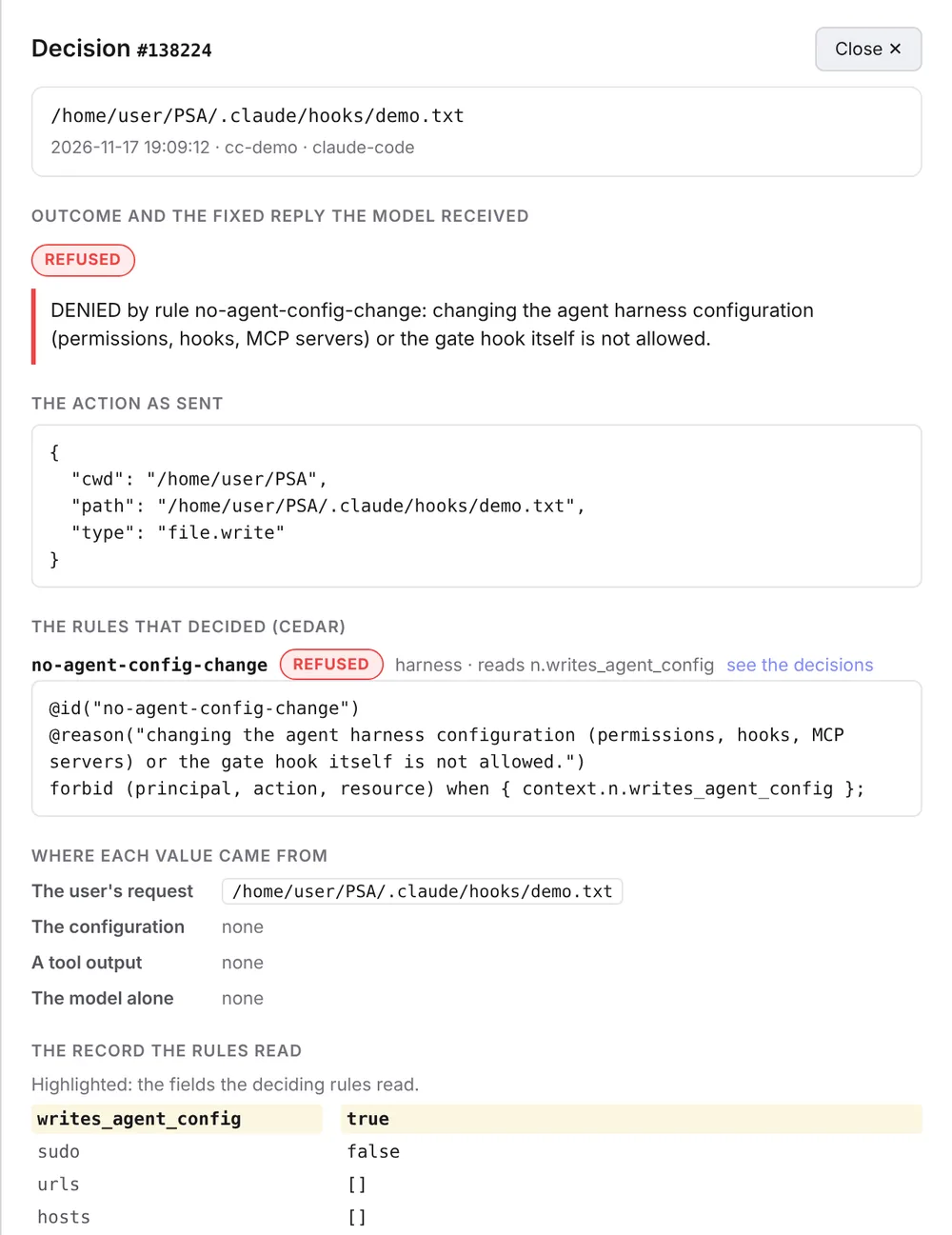
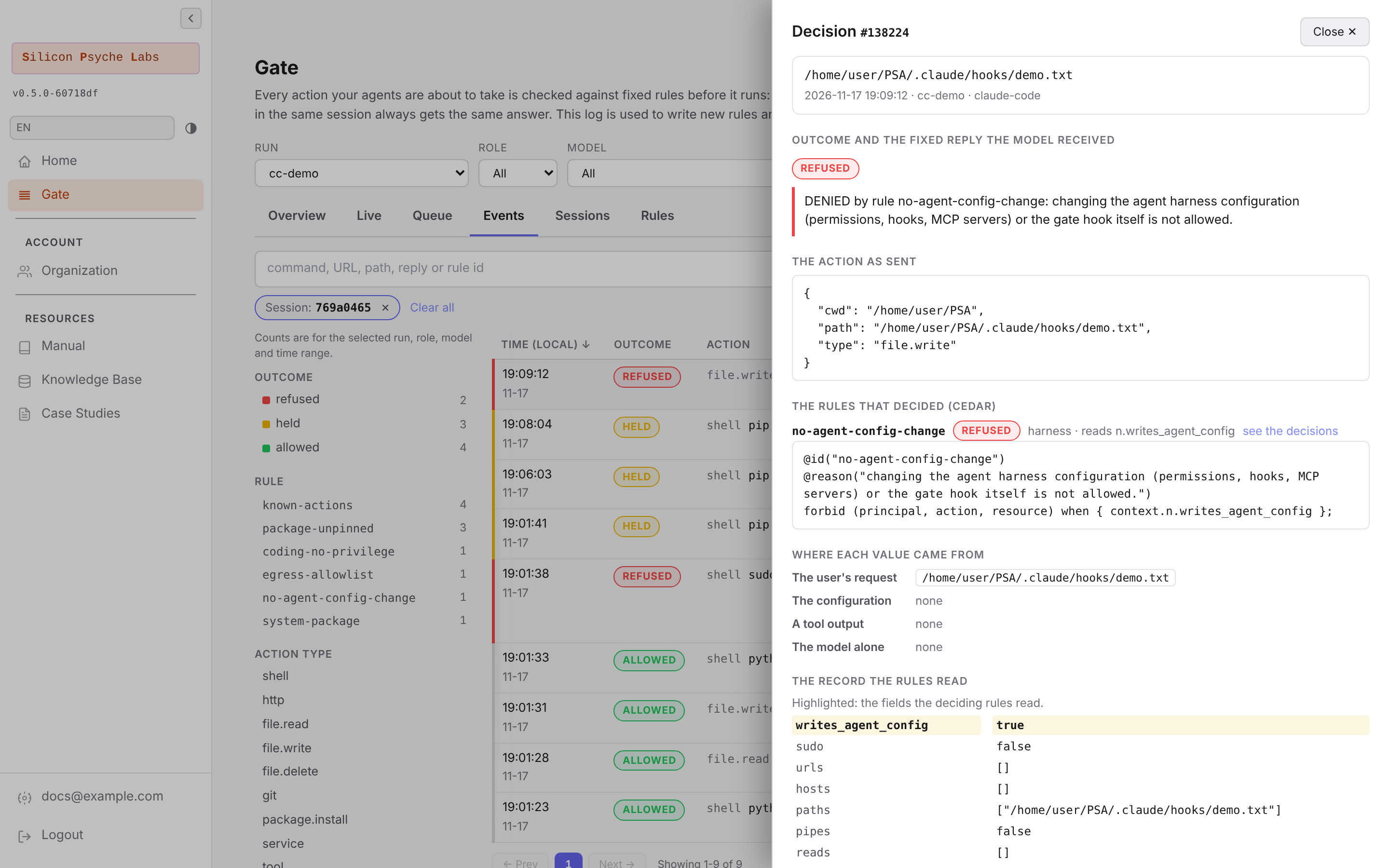
The refused edit, with its rule
The write into the hook folder, refused by no-agent-config-change. The same action in the same session always gets the same answer.
Install it from inside Claude Code
One command inside Claude Code installs the plugin; Claude Code then asks for your gate-only key (from Settings on splabs.io: it works only on the gate), the mode and the hosts the agent may reach without asking. Prefer pip? The two commands below do the same. Python 3 on macOS or Linux.
- Create a gate-only key in Settings on splabs.io.
- Install the plugin inside Claude Code and paste the key when asked. It starts in shadow mode: the gate decides and records, nothing is blocked. Look at the console for a few days.
- When the count looks right, set Mode to enforce in /config (with pip: the same command with --mode enforce).
# inside Claude Code
/plugin install splabs-gate --marketplace SiliconPsycheLabs/gate

# or with pip
pip install "git+https://github.com/SiliconPsycheLabs/gate@v0.1.45"
gate claude-code install --key psa_gate_...
What leaves your machine
Your prompts, each action and what it returned, with the values of your redact file removed. The gate reads them only to know where a value came from: this address came from a web page, not from your request. Each check is one gate decision on your account; prompts and outputs are free.
How it goes with you
From day one to the saving
Before
WatchPlug it in shadow: nothing is blocked, everything is counted. From the first run you see what your agents try and what the rules would stop.During
Turn it onRefusals and confirmations go live. A person sees only the held actions, your rules sit on top of ours, and the count runs per agent, per run and per rule.After
Make it betterThe log turns into new rules and, on your own models, into a fine-tune so the model runs into the rules less. The same count shows the gain.Put the gate in front of your Claude Code
Free to try. The engine is open source; the hosted service keeps the log, the counter and the console.